Reviewable student work
Make student work and AI use reviewable.
Solf combines assignment rules, writing provenance, and reviewable AI trails so students can demonstrate their process and educators can evaluate AI use in context.
AI trails · Writing provenance · Assignment integrity
AI trails
Make AI assistance visible.
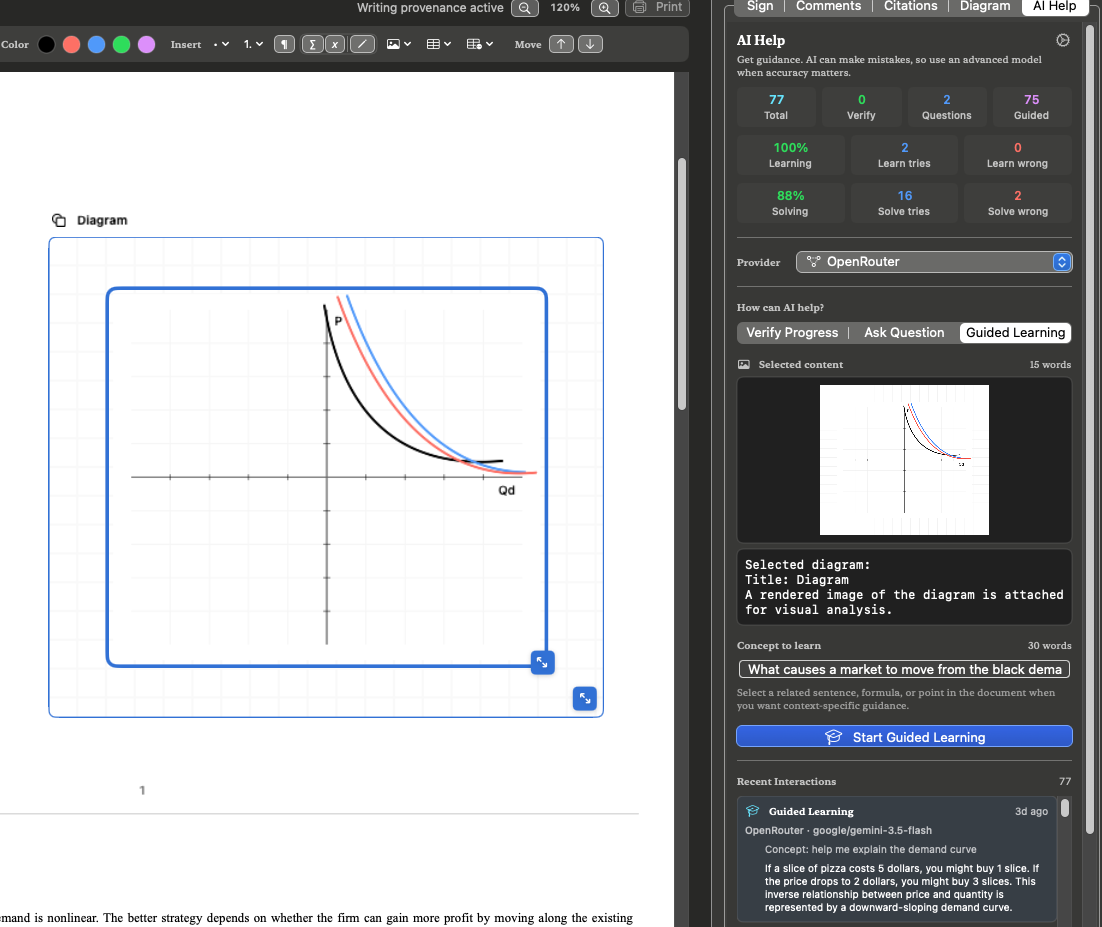
Solf stores AI Help interactions with the document, including the help mode, selected context, question, response, timestamp, and provider or model where available.
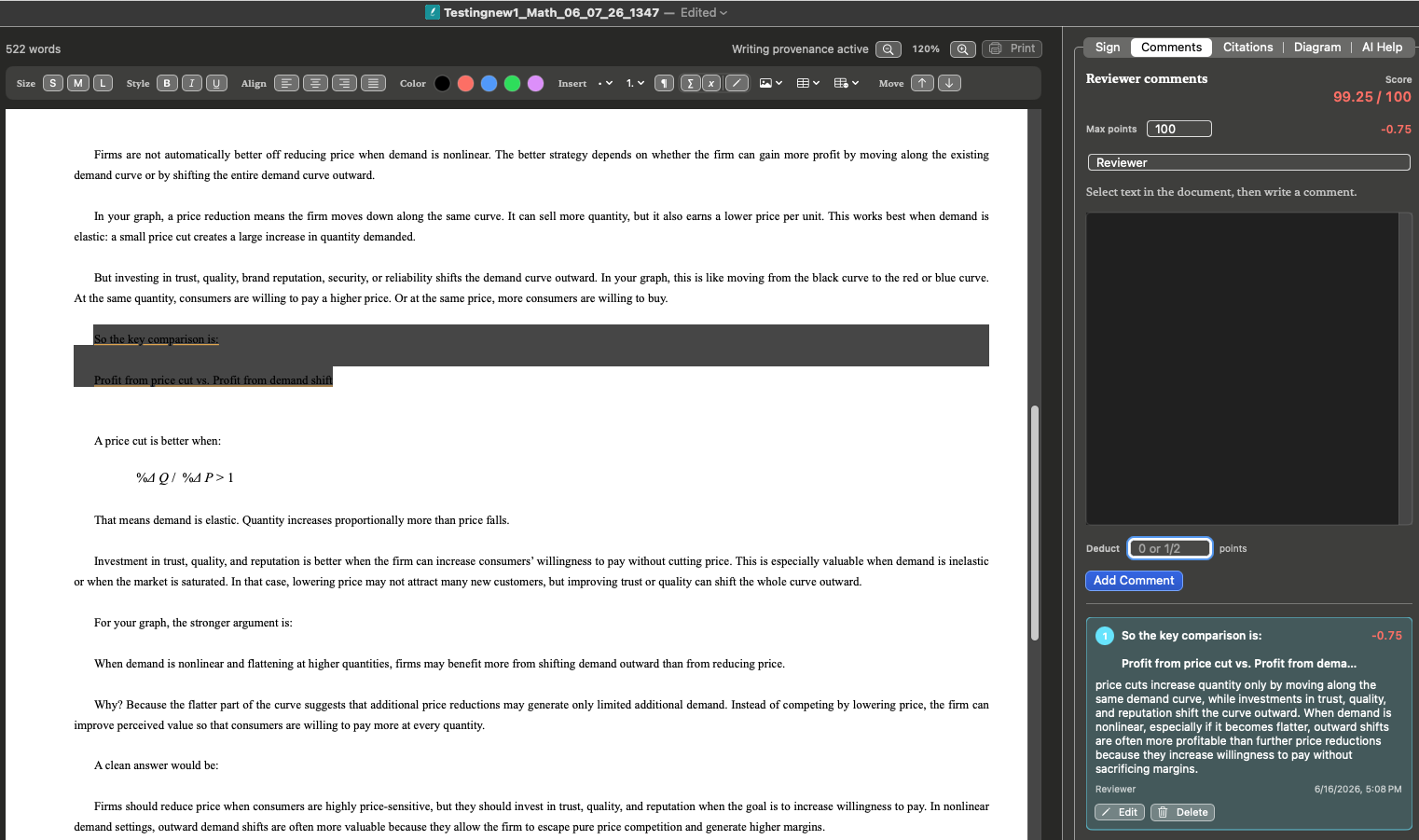
Students can show how AI supported their work, and educators can review that assistance with the submission.
AI trails document activity recorded inside Solf. They cannot prove that no other AI service was used outside the app.
Understanding AI Help activity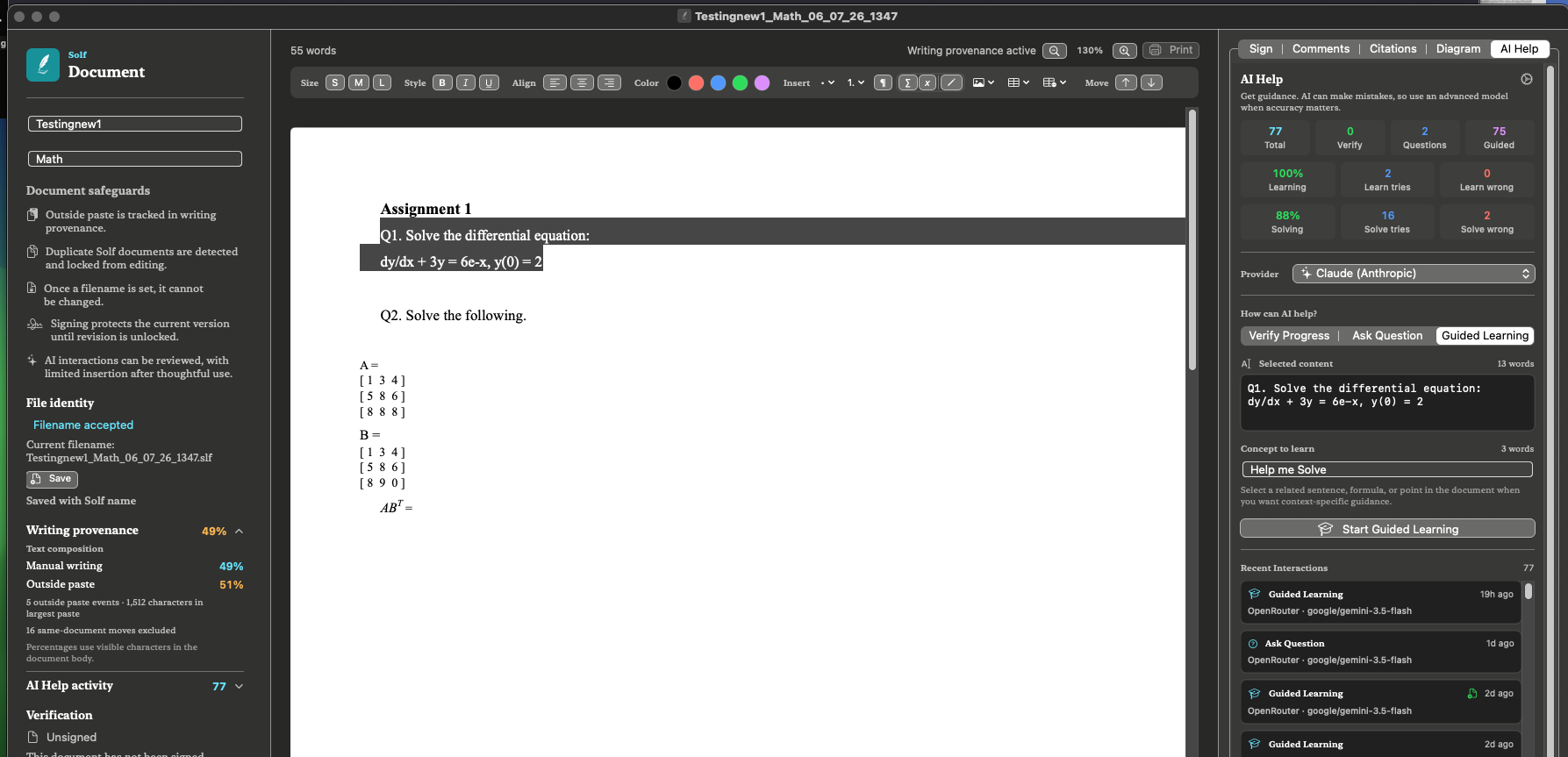
Writing provenance
See how text entered the document.
Solf records writing created in the editor, Outside paste, paste events, and AI responses copied for pasting.
Provenance provides context for review. It does not prove the source of pasted text or determine misconduct.
Understanding writing provenance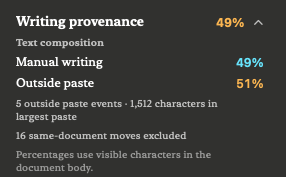
Assignment rules and identity
Set expectations before students begin.
Teachers create a locked assignment with defined AI rules and an identifiable assignment file.
AI behavior
Customize AI Questions, Guided Learning, and Verify Progress.
Response limits
Set response length, copied words, and permitted response copies.
Guided practice
Choose how many Guided Learning questions students complete.
Writing provenance expectations
State the expected balance of Manual writing and Outside paste, then compare the recorded percentages during review.
AI trail review
Explain how recorded AI Help activity will be considered with the submission.
Assignment identity
Use the unique code, message, locked rules, and file status during review.
Blocked automated insertion
Solf blocks detected automated insertion.
Solf AI Help does not insert responses automatically. Solf also blocks detected automated typing or insertion from external AI tools, including Codex and Claude Code.
To bring text from an AI tool into Solf, a user must intentionally paste it. Solf records the text as Outside paste, and teachers can limit or disable copying from Solf AI Help.
These protections cover activity detected within the Solf editor. Changes made outside Solf may affect the document’s integrity or verification status.
AI Help modes
Three ways to support learning.
Verify Progress
Get feedback on selected work.
Ask Question
Receive guidance and follow-up questions.
Guided Learning
Study a concept through examples and practice.
Also in Solf
Tools for complete document work.
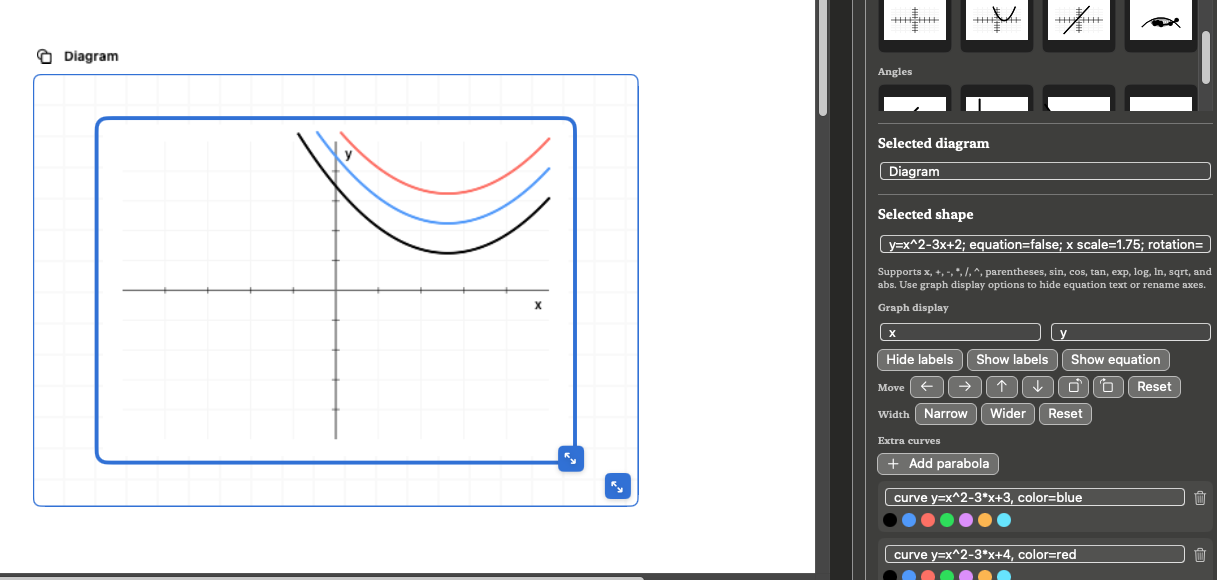
Equations, diagrams, graphs, citations, comments, grading, signatures, presentations, and collaboration.
App screenshots
The app experience, shown plainly.
Free launch
Choose your platform.
Solf is available free from both major desktop app stores.
Privacy
Solf App Privacy Policy
Effective Date: July 29, 2026
Solf respects your privacy. This Privacy Policy explains how Solf handles information when you use the app and this website.
Solf is designed so your writing documents remain under your control. Some features, such as account identity, document signing receipts, optional AI providers, app distribution, and direct support emails, may involve limited data processing as described below.
1. Information We Collect or Process
We do not sell personal information, use advertising identifiers, run third-party ad tracking, or use personal information for cross-context behavioral advertising.
Depending on how you use Solf, the app or related services may process:
- Account information used for sign-in, such as your name, email address, chosen sign-in method, and a unique account identifier.
- Limited document-signing information needed to issue or verify a signing receipt, such as document and signer identifiers, signing time, and receipt details.
- Information you choose to include in a Solf document, such as author name, assignment title, comments, writing provenance, AI Help history, diagrams, images, tables, equations, and presentation content. This information is normally stored in the Solf document file you control.
- Content you intentionally send to an AI provider or local AI service you configure when using optional AI or presentation-generation features.
- Information you send us directly, such as email address and message content when you contact support.
2. Documents and Local Content
Solf documents, text, images, diagrams, tables, writing provenance, AI Help history, presentation decks, assignment metadata, signatures, and review information are stored in the Solf document file or on your device unless you choose to share, export, back up, sync, or transmit them.
Solf does not upload full document content when issuing a standard signing receipt. It processes only the limited document and account information needed to create and verify the receipt.
Your content may leave your device if you use operating system sharing, cloud backup, email, file sync, third-party storage, optional AI providers, or other services you choose.
3. Account Identity and Document Signing
Solf may require sign-in for account identity and document signing. You may sign in with email and password or a supported third-party identity provider. Solf does not use authentication or app-interaction data for advertising.
When you choose a third-party identity provider, that provider processes the information needed to authenticate you under its own privacy policy. Other service providers supporting Solf may process limited information only as necessary to deliver app features. We require service providers that process Solf data to protect it consistently with this Privacy Policy and applicable law.
When you request a signing receipt, Solf processes limited signing information to issue and verify the receipt. Full document content is not sent for this process. The signing receipt may be saved inside the Solf document.
Sign-in information may be stored securely on your device so Solf can restore your session.
You can sign out and permanently delete your Solf account through the account settings available in the app. If you used a third-party identity provider, you may be asked to confirm your identity again before account deletion is completed. Deleting the account does not delete Solf document files saved on your device.
4. AI and External Providers
Solf may include AI Help, presentation generation, image generation, and local model features. If you choose an external AI provider, the prompt, selected text, image prompt, document excerpt, or other context you submit may be sent to that provider. Their use of that information is governed by their own terms and privacy policies.
If you use on-device or local AI features, processing may occur on your device or through a service you choose and control. Connection information for AI services you choose may be stored securely on your device.
5. Payments, App Marketplaces, and Platform Services
If Solf offers paid features, subscriptions, or in-app purchases, payment and subscription information may be processed by the applicable app marketplace or payment provider. We do not receive full payment card numbers from those providers.
App distribution providers, identity providers, operating system services, cloud backup services, and other service providers may process limited information when you download, install, update, authenticate, back up, or use the app, subject to their own policies and applicable requirements.
6. Analytics, Advertising, and Tracking
Solf does not use advertising networks or sell personal information. The website does not use cookies for advertising or cross-site tracking.
If we add analytics, crash reporting, or similar telemetry in the future, we will update this Privacy Policy before using those tools in a way that changes how personal information is processed.
7. Legal Basis Under GDPR
For users in the European Economic Area, the United Kingdom, or Switzerland, our legal bases may include providing the app and requested services, protecting document integrity and service security, complying with legal obligations, responding to support requests, and consent where required.
8. California Privacy Notice
This section applies to California residents.
The California Consumer Privacy Act, as amended by the California Privacy Rights Act, gives California residents certain rights regarding personal information collected by covered businesses. These rights may include the right to know, access, delete, correct, opt out of sale or sharing, and limit the use of sensitive personal information.
For purposes of California privacy law:
- We do not sell personal information.
- We do not share personal information for cross-context behavioral advertising.
- We do not use personal information for targeted advertising.
- We process only the limited categories described in this Privacy Policy.
9. Privacy Rights
Under the GDPR, individuals may have rights regarding their personal data, including rights to access, correct, delete, restrict, object to processing, request portability, and withdraw consent where processing is based on consent.
Depending on your location, you may also have rights to know, access, delete, correct, or opt out of certain processing. To make a request, contact us using the email below. We may need enough information to verify and respond to your request.
10. Children’s Privacy
Solf is not directed to children under 13. We do not knowingly collect personal information from children under 13. If you believe a child has provided personal information to us, contact us so we can review and respond appropriately.
11. Data Retention
Documents and files remain on your device or in locations you choose until you delete or move them. Sign-in information is retained only as needed to maintain your account and session, and is removed from the device when you sign out, delete your account, or delete the app data. In-app account deletion removes your Solf authentication account. Signing receipt records and support emails may be retained as needed to provide signing verification, security, support, legal compliance, and administrative records; retained records are limited to what is necessary for those purposes.
12. Security
Solf uses platform security features, secure credential storage, and encrypted connections where appropriate. No software or online service can guarantee complete security. Users remain responsible for securing their own devices, accounts, passwords, backups, exported files, and third-party storage locations.
13. International Users
If you use Solf, sign in, request signing receipts, contact us, or use third-party providers, information may be processed in the United States or other countries where we or those providers operate.
14. Changes to This Privacy Policy
We may update this Privacy Policy from time to time. If we make material changes, we will update the effective date and may notify users through the app, website, app marketplace listing, or another reasonable method.
15. Contact Us
If you have questions about this Privacy Policy or privacy rights, please contact us at:
Solf app
Email: support@solfapp.com
Website: solfapp.com
Terms
Terms of Use for Solf
Effective Date: July 29, 2026
App Name: Solf
Developer: Jose Pius Nedumkallel
Email: support@solfapp.com
Website: solfapp.com
These Terms of Use (“Terms”) apply to your use of Solf, a document writing and editing application provided by Jose Pius Nedumkallel (“we,” “us,” or “our”).
By downloading, installing, accessing, or using Solf, you agree to these Terms. If you do not agree, please do not use the App.
1. About Solf
Solf is a document editor designed to support original human writing. The App may include features such as document creation, editing, saving, exporting, copy/paste controls, duplicate-content checks, document protection, document integrity checks, and limited writing-assistance tools.
Solf is currently provided as a free version. We may later offer paid features, subscriptions, institutional licenses, or premium versions. Any paid features will be presented separately before purchase.
2. Distribution Platform Terms
If you downloaded Solf through a third-party app marketplace or distribution platform, your use of the App is also subject to that provider’s applicable terms and usage rules.
The distribution provider is not responsible for providing maintenance or support for Solf unless its terms state otherwise. Questions, complaints, and support requests about Solf should be directed to us using the contact information above.
3. License to Use the App
We grant you a limited, personal, non-transferable, non-exclusive license to use Solf on supported devices that you own or control, subject to these Terms and any applicable distribution-platform usage rules.
You do not own the App. Solf is licensed to you for use. We retain all rights in the App, including its software, design, name, logo, features, documentation, and related intellectual property.
4. Free Version
Solf is currently offered as a free app. Because the App is free, it is provided without any payment obligation unless we clearly present a paid option in the future.
The free version may have limited features, limited support, experimental features, or functionality that changes over time. We may update, modify, suspend, or discontinue the free version or any part of it.
We are not required to continue offering Solf for free permanently.
5. Your Documents and Content
You retain ownership of documents, text, files, notes, and other materials you create or edit using Solf (“User Content”).
We do not claim ownership of your documents. You are responsible for your User Content, including its accuracy, legality, originality, and compliance with academic, professional, employment, institutional, or legal requirements.
You agree that you will not use Solf to create, store, copy, submit, or distribute content that violates another person’s copyright, privacy, intellectual property, or other legal rights.
6. Human Writing and Originality Features
Solf may include features intended to support original writing, discourage unauthorized copying, detect duplication, protect document integrity, or show signs of document provenance.
These features are provided as helpful tools only. They do not guarantee that a document is original, fully human-written, plagiarism-free, copyright-compliant, or acceptable under any school, university, employer, publisher, court, or professional standard.
You remain responsible for properly citing sources, following applicable rules, and ensuring that your work is accurate and permitted.
7. AI or Writing-Assistance Features
Solf may include limited writing-assistance or AI-assisted features. These tools are intended to support your writing process, not replace your own judgment or authorship.
You are responsible for reviewing and verifying any suggestion, correction, explanation, or output provided by the App. We do not guarantee that writing-assistance features will be accurate, complete, original, or suitable for your intended use.
You are also responsible for determining whether use of any assistance feature is allowed by your school, university, employer, publisher, or other relevant authority.
8. Acceptable Use
You agree not to misuse Solf. You must not:
- Use the App for unlawful, harmful, misleading, or fraudulent purposes.
- Attempt to bypass, disable, or manipulate copy-control, duplication-detection, encryption, or document-integrity features.
- Reverse engineer, decompile, modify, or attempt to extract the source code of the App, except where allowed by law.
- Use the App to infringe copyright or other intellectual property rights.
- Use the App to misrepresent the authorship, originality, or provenance of a document.
- Interfere with the operation, security, or performance of the App.
- Resell, sublicense, rent, or commercially exploit the App without our written permission.
9. Document Storage, Backup, and Security
Solf may store documents locally on your device and may use encryption or document-protection features. However, no software can guarantee complete protection against data loss, file corruption, device failure, user error, unauthorized access, or software bugs.
You are responsible for maintaining your own backups of important documents. You should not rely on Solf as the only place where important files are stored.
If you lose access to your device, password, encryption key, account, or file, we may not be able to recover your documents.
10. Privacy
Your use of Solf is also governed by our Privacy Policy. The Privacy Policy explains how Solf handles local documents, account sign-in, document signing receipts, optional AI services, payment-platform processing, support requests, and third-party services.
By using features that connect to an external provider, such as sign-in, document signing, purchase processing, or an AI provider you configure, you understand that those providers may process information under their own terms and privacy policies.
11. Updates and Changes
We may release updates to improve Solf, fix bugs, improve security, add features, remove features, or maintain compatibility with supported operating systems.
Some features may change or stop working if you do not install updates. We are not obligated to support every previous version of the App.
12. Free Version: File Compatibility and Long-Term Access
Solf is currently provided as a free app. Because the App is free and may continue to evolve, we may change its document format, encryption method, security design, file structure, or compatibility features in future versions.
As a result, future versions of Solf may not support all files created with earlier versions of the App. Older Solf files may become difficult or impossible to open, decrypt, verify, edit, or convert in later versions.
If a document is important to you, you should not rely on the free version of Solf as the only way to access it in the future. You are responsible for keeping backup copies of your documents. For long-term access, we strongly recommend exporting or saving important documents in PDF format or another widely supported format, in addition to keeping the original Solf file.
Because Solf is provided free of charge, we do not guarantee permanent access to older file formats, permanent backward compatibility, file recovery, document conversion, or continued support for documents created using earlier versions of the App.
We are not responsible for loss of access to documents caused by changes in encryption methods, file formats, security features, operating system requirements, app updates, discontinued features, unsupported older versions, lost passwords, lost keys, device failure, or user error, except where liability cannot be excluded under applicable law.
13. Support
Because Solf is currently offered as a free app, support may be limited. We may provide support through email, documentation, website resources, or app updates, but we do not guarantee that every issue will be resolved.
We are not responsible for restoring lost documents, recovering corrupted files, or resolving problems caused by device issues, operating system changes, third-party software, or user error.
14. No Warranty
Solf is provided free of charge on an “as is” and “as available” basis.
To the maximum extent permitted by law, we make no warranties that Solf will be error-free, uninterrupted, secure, accurate, compatible with all devices, suitable for your specific purpose, or free from data loss or file corruption.
We do not guarantee that Solf will detect all copied content, prevent all unauthorized copying, prove authorship, verify originality, or satisfy academic, professional, legal, institutional, or publishing requirements.
Some jurisdictions do not allow certain warranty limitations, so some of these limitations may not apply to you.
15. Limitation of Liability
Solf is provided free of charge and is used at your own risk.
To the fullest extent permitted by applicable law, Solf and its developer will not be liable for any loss, damage, cost, or claim arising from your use of—or inability to use—the App. This includes loss or corruption of documents, data, or work; academic or professional consequences; loss of profits; reputational harm; device problems; and any direct, indirect, incidental, special, consequential, or punitive damages.
You are responsible for maintaining independent backups of important documents and deciding whether Solf is suitable for your intended use.
16. Termination
You may stop using Solf at any time by deleting the App from your device.
We may suspend, restrict, or discontinue the App or any feature if you violate these Terms, misuse the App, create security risks, or if we decide to stop offering the free version.
17. Intellectual Property
Solf, including its name, design, logo, software, features, interface, icons, and documentation, belongs to us or our licensors.
You may not copy, modify, distribute, sell, or create derivative works based on Solf unless we give you written permission or the law allows it.
18. Changes to These Terms
We may update these Terms from time to time. If we make important changes, we may notify you through the App, website, app marketplace listing, or other reasonable method.
Your continued use of Solf after the Terms are updated means you accept the updated Terms.
19. Governing Law
These Terms are governed by the laws of United States, unless applicable law requires otherwise.
If you are a consumer, you may have additional rights under the laws of your location that cannot be waived by these Terms.
20. Contact
If you have questions about these Terms or about Solf, contact us at:
Developer: Jose Pius Nedumkallel
Email: support@solfapp.com
Website: solfapp.com